My Blog List

Saturday, April 23, 2016

Create an application gateway with an internal load balancer (ILB) by using Azure Resource Manager with existing Vnet and Subnet

$vnet = Get-AzureRMVirtualNetwork -Name Vnet01 -ResourceGroupName psrg01

$subnetconfig  = Get-AzureRMVirtualNetworkSubnetConfig -Name 'Subnet01' -VirtualNetwork $vnet

$subnet=$vnet.subnets[0]

$gipconfig = New-AzureRmApplicationGatewayIPConfiguration -Name gatewayIP01 -Subnet $subnet

$pool = New-AzureRmApplicationGatewayBackendAddressPool -Name pool01 -BackendIPAddresses 192.168.1.20, 192.168.2.21

$poolSetting = New-AzureRmApplicationGatewayBackendHttpSettings -Name poolsetting01 -Port 80 -Protocol Http -CookieBasedAffinity Enabled

$fp = New-AzureRmApplicationGatewayFrontendPort -Name frontendport01  -Port 443

$cert = New-AzureRmApplicationGatewaySslCertificate -Name cert01 -CertificateFile C:\SSL_cert\smarterpcom_azure.pfx -Password "xxxxxx"

$fipconfig = New-AzureRmApplicationGatewayFrontendIPConfig -Name fipconfig01 -Subnet $subnet

$listener = New-AzureRmApplicationGatewayHttpListener -Name listener01  -Protocol Https -FrontendIPConfiguration $fipconfig -FrontendPort $fp -SslCertificate $cert

$rule = New-AzureRmApplicationGatewayRequestRoutingRule -Name rule01 -RuleType Basic -BackendHttpSettings $poolSetting -HttpListener $listener -BackendAddressPool $pool

$sku = New-AzureRmApplicationGatewaySku -Name Standard_Small -Tier Standard -Capacity 2

$appgw = New-AzureRmApplicationGateway -Name appgwtest -ResourceGroupName appgw-rg -Location CentralUS -BackendAddressPools $pool -BackendHttpSettingsCollection $poolSetting -FrontendIpConfigurations $fipconfig  -GatewayIpConfigurations $gipconfig -FrontendPorts $fp -HttpListeners $listener -RequestRoutingRules $rule -Sku $sku -SslCertificates $cert


Lookup
========
Get-AzureRmApplicationGateway -Name appgwtest -ResourceGroupName appgw-rg

Remove
========
Remove-AzureRmApplicationGateway -Name appgwtest -ResourceGroupName appgw-rg

Wednesday, April 15, 2015

Implementing an Infiniband-based Interconnect

Extract from 

Pro Oracle Database 11g RAC on Linux: Installation, Administration, Performance
By : Martin Bach,Steve Shaw
Apress © 2010 ISBN: 9781430229582
ID : 37332


Infiniband is a popular implementation of a remote direct memory access architecture (RDMA). It is a high-speed interconnect commonly
associated with high-performance computing (HPC) environments. According to http://openfabrics.org/, the majority of all clusters
in the Top500 HPC list use this implementation. RDMA enables parallel, direct, memory-to-memory transfers between the nodes in the cluster,
and it requires dedicated RDMA adapters, switches, and software. It also avoids the CPU processing and context switching overheads
associated with Ethernet-based implementations.
There are two different ways to implement Infiniband interconnects on Linux. The first way is referred to as IP over Infiniband (IPoIB) and—
speaking in greatly simplified terms—it replaces Ethernet for the media access control and link-layer control layers. Since the Internet Protocol
remains, the network protocol use of IPoIB is completely transparent to applications. The IPoIB implementation offers significant performance
improvements over Ethernet connections.
Another option is to use Reliable Datagram Sockets over Infiniband. This option is available beginning with Oracle 10.2.0.3. RDS is available
through the Open Fabric Enterprise Distribution (OFED) for Linux and Windows, developed by the Open Fabrics Alliance. As of version
2.6.30, RDS has found its way into the Linux kernel, with Oracle playing a major role as a contributor. The key characteristics of RDS are lowlatency,
low-overhead, and a high bandwidth—basically, all you could ask for in RAC!
You can find a compatibility matrix available online at www.oracle.com/technology/products/database/clustering/
certify/tech_generic_linux_new.html.
This matrix lists RDS as supported for Linux with QLogic/SilverStorm switches on Oracle 10.2.0.3 and newer. Open Fabrics Enterprise
Distribution (OFED) 1.3.1 and newer for RDS v2 is supported from Oracle 11.1 onwards with QLogic, HP, and Voltaire switches. My Oracle
Support note 751343.1 has a direct link to the required patches for Oracle Enterprise Linux/Red Hat Enterprise Linux 5. Unfortunately, there
does not seem to be a deployment instruction for RDS on SuSE Linux Enterprise Server. Oracle advises customers to monitor the certification
page for updates.
The Oracle Database Machine and Exadata Storage server drive the use Infiniband to the extreme, offering up to 40Gb/s for communication
within the cluster, which is impossible to beat with Ethernet. An Infiniband solution has the great advantage of higher performance of than the
ever-so-present Gigabit Ethernet interconnect, but it also comes at a higher cost and introduces another technology set into the data center.

Tuesday, April 15, 2014

Sunday, January 12, 2014

Splitting the Adaptive Processing Server: SAP BI Platform 4.0

Very informative

http://www.youtube.com/watch?v=2Uyi0V7RdwA&feature=youtu.be

Tuesday, October 15, 2013

vsftpd chrooting

http://blog.oneiroi.co.uk/linux/security/vsftpd-chrooting-without-the-headache-allowing-shared-directories/

Thursday, June 13, 2013

Peoplesoft scheduler monitoring scripts for MSSQL Server

PSFINPRD_check_process - To check if any process is processing or in initiated status for over 60 minutes
Text
-------------------
-- exec PSFINPRD_check_process 60
-- Deep Pandey 6/11/2013
CREATE PROCEDURE PSFINPRD_check_process
@timediff int
AS
DECLARE @find1 int;
DECLARE @prcsid VARCHAR(50);
DECLARE @tableHTML  NVARCHAR(MAX);

DECLARE Process_list CURSOR FOR SELECT PRCSINSTANCE FROM PSPRCSRQST
WHERE RUNSTATUS IN (6, 7)
AND DATEDIFF(MINUTE,BEGINDTTM, GETDATE()) > @timediff ;

IF OBJECT_ID('tempdb..#TempTable_PRCSList','u') IS NOT NULL
BEGIN
DROP TABLE #TempTable_PRCSList;
END
ELSE
BEGIN
CREATE TABLE #TempTable_PRCSList
(PRCSINSTANCE1 varchar(50),JOBINSTANCE1  varchar(50), PRCSTYPE1 varchar(50),
PRCSNAME1  varchar(50), SERVERNAMERUN1 varchar(50),Time_in_Minutes  varchar(50), RUNSTATUS1 varchar(50));
END
OPEN Process_list;

FETCH NEXT FROM Process_list INTO @prcsid;
WHILE @@FETCH_STATUS = 0
   BEGIN
      SET @find1 = (SELECT DATEDIFF(MINUTE,BEGINDTTM, GETDATE())
      FROM PSPRCSRQST
      WHERE RUNSTATUS IN (6, 7)
      AND DATEDIFF(MINUTE,BEGINDTTM, GETDATE()) > @timediff
      AND PRCSINSTANCE =@prcsid)
     
INSERT INTO #TempTable_PRCSList(PRCSINSTANCE1, JOBINSTANCE1,PRCSTYPE1,PRCSNAME1,SERVERNAMERUN1,Time_in_Minutes, RUNSTATUS1 )
SELECT PRCSINSTANCE, JOBINSTANCE, PRCSTYPE, PRCSNAME,SERVERNAMERUN,
DATEDIFF(MINUTE,BEGINDTTM, GETDATE()) Time_in_Minutes,
CASE WHEN
RUNSTATUS = 7 THEN 'Processing'
WHEN RUNSTATUS = 6 THEN  'Initiated'
END AS RUNSTATUS
FROM PSPRCSRQST
WHERE RUNSTATUS IN (6, 7)
AND PRCSINSTANCE =@prcsid
AND DATEDIFF(MINUTE,BEGINDTTM, GETDATE()) > @timediff
FETCH NEXT FROM Process_list INTO @prcsid;
END;
SET @tableHTML =
    N'<h1>Please check Finance scheduler for following process(s) running over 60 minutes now</h1>'
  + N'<table border="1">'
  + CAST ( ( (
   SELECT + 'Servername: ',  td = @@SERVERNAME
  for xml path('tr'), TYPE)

    ) AS NVARCHAR(MAX) )
  + CAST ( ( (
   SELECT + 'Database Name: ', td = DB_NAME()
  for xml path('tr'), TYPE)

    ) AS NVARCHAR(MAX) )
  + CAST ( ( (
   SELECT 'td/@bgcolor' = '#FF3366', td =
  PRCSINSTANCE1 + ' process Instance executing ' + ' ', + PRCSNAME1+  ' ' + PRCSTYPE1 + ' ' + ' on' + ' ' +
  SERVERNAMERUN1 + '' + ' server from last ' + '' + Time_in_Minutes + '' +' minutes' , ''+ ' is in ' + '' + RUNSTATUS1 +'' + ' status'
FROM #TempTable_PRCSList
  for xml path('tr'), TYPE)

    ) AS NVARCHAR(MAX) ) +
    N'</table>' +
    N'<br/>'
  + N'<tr><th><br> </br></th></tr>'
  + N'<tr><th><br> </br></th></tr>'
  + N'<tr><th><br>Thanks!</br></th></tr>'
  + N'<tr><th><br>BusApps Admin.</br></th></tr>'
  + N'<br/>'  ;
if (@find1 > @timediff)
BEGIN
EXEC msdb.dbo.sp_send_dbmail
@profile_name = 'NSAXBPFNDB01P',
@recipients = 'you@me.com',
@importance = high,
@body = @tableHTML,
@body_format = 'HTML',
@subject = 'Process(s) running longer than 60 minutes' ;
END
CLOSE Process_list;
DEALLOCATE Process_list;


Text - Check is process scheduler is down.
----------------------
-- exec PSFINPRD_checkschedulerstatus 1
-- Deep Pandey 6/11/2013
CREATE PROCEDURE PSFINPRD_checkschedulerstatus
@timediff int
AS
DECLARE @find1 int;
DECLARE @name VARCHAR(50);
DECLARE @tableHTML  NVARCHAR(MAX);

DECLARE sCHEDULER_LIST CURSOR FOR SELECT SERVERNAME FROM PSSERVERSTAT
WHERE DATEDIFF(MINUTE,LASTUPDDTTM, GETDATE()) > @timediff;

IF OBJECT_ID('tempdb..#TempTable_PRCS','u') IS NOT NULL
BEGIN
DROP TABLE #TempTable_PRCS;
END
ELSE
BEGIN
CREATE TABLE #TempTable_PRCS (Servername varchar(50),downtime  varchar(50));
END
OPEN sCHEDULER_LIST;

FETCH NEXT FROM sCHEDULER_LIST INTO @name;

WHILE @@FETCH_STATUS = 0
   BEGIN
      SET @find1 = (SELECT DATEDIFF(MINUTE,S.LASTUPDDTTM, GETDATE())LAST_UPDATE_TIME
FROM PSSERVERSTAT S, PSXLATITEM X
WHERE X.FIELDNAME = 'SERVERSTATUS'
AND X.FIELDVALUE = S.SERVERSTATUS
and S.SERVERNAME =@name
AND DATEDIFF(MINUTE,S.LASTUPDDTTM, GETDATE()) > @timediff)
INSERT INTO #TempTable_PRCS(downtime, Servername ) SELECT DATEDIFF(minute,S.LASTUPDDTTM, GETDATE()), S.SERVERNAME
FROM PSSERVERSTAT S, PSXLATITEM X
WHERE X.FIELDNAME = 'SERVERSTATUS'
AND X.FIELDVALUE = S.SERVERSTATUS
AND S.SERVERNAME = @name
AND DATEDIFF(MINUTE,S.LASTUPDDTTM, GETDATE()) > @timediff
FETCH NEXT FROM sCHEDULER_LIST INTO @name;
END;
SET @tableHTML =
    N'<h1>Please check Finance scheduler for issues</h1>'
  + N'<table border="1">'
  + CAST ( ( (
  SELECT 'td/@bgcolor' = '#FF3366', td = Servername + 'Scheduler has not been refreshed since ', '' , downtime + ' minutes. Please check.' , ''
--SELECT td = Servername + 'Scheduler has not been refreshed since ', '' , downtime + ' minutes. Please check.' , ''
FROM #TempTable_PRCS
--where Servername = @name
  for xml path('tr'), TYPE)

    ) AS NVARCHAR(MAX) ) +
    N'</table>' +
    N'<br/>'
  + N'<tr><th><br> </br></th></tr>'
  + N'<tr><th><br> </br></th></tr>'
  + N'<tr><th><br>Thanks!</br></th></tr>'
  + N'<tr><th><br>BusApps Admin.</br></th></tr>'
  + N'<br/>'  ;
if (@find1 > @timediff)
BEGIN
EXEC msdb.dbo.sp_send_dbmail
@profile_name = 'NSAXBPFNDB01P',
@recipients = 'me@you.com',
@importance = high,
@body = @tableHTML,
@body_format = 'HTML',
@subject = 'Finance Production Process Scheduler Alert' ;
END
CLOSE sCHEDULER_LIST;
DEALLOCATE sCHEDULER_LIST;

Wednesday, May 22, 2013

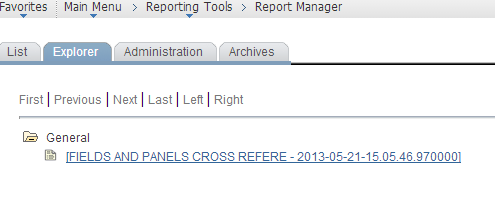
Configuring Report Manager PeopleTools 8.51


Wonder why List and Explorer no showing anything? Assuming that You have IB configured, PUB-SUB running, LOCAL node is pinging and everything is configured now you just need to activate these four service operations and needs to make sure local to local routing exists and if not, you just need to generate. Shutdown the app server, clear the cache, start it up and should be all set.

  1. PSRF_FOLDER_CREATE
  2. PSRF_REPORT_CREATE
  3. PSRF_REPORT_DELETE
  4. PSRF_REPORT_DATE_CHANGE 


Friday, April 12, 2013

Changing data source and restoring list values in a crystal report


This is specific to Crystal reports pointing to finance databases because unlike Data warehouse and custom applications, database names for finance prodction and development are different and crystal report data source configuration needs to modify before we move it to production.  Check the database configuration for crystal report on BODEV server.

In below  example the data source name is PSFINPRD however it is pointing to PSFINTST for testing purpose.


To change that and point it PSFINPRD, open the crystal report from server and change data source.


You can create a new data source or use the existing one and update it within the crystal report and hit update.


Once done, make sure your new/updated data source us pointing to correct server and Database catalog.


If you have a crystal report with sub-reports in it, make sure to update the data source in all reports.
Example below: 


During making the changes in crystal reports you may lose the static drop down from various prompts and they needs to be restore before production migration of reports.

Please check with crystal report developer for complete information about dropdown list and number of places it needs to be updated.
Below if the example from Order Intake Summary Report crystal report. For example in this report we need to restore two drop down list

1-      Business unit
2-      Yes and No response.

Open the crystal report and navigate to View -> Field Explorer


 Look for the prompt with drop down list, right click on it and choose edit.


Import the data from text file or data as provided by developer. Also make sure to update the value options as desired.